

Meetings are where ideas are shared, decisions are made, and action items are assigned. The problem is that trying to take detailed notes while actively participating often means you’re either missing part of the discussion or not fully engaged.
That’s what initially interested me about Granola AI.
After exploring how it works, my impression is that Granola takes a refreshingly simple approach to AI meeting notes. Instead of trying to replace the meeting itself, it quietly supports you by organizing your notes and turning conversations into clear summaries that are actually useful afterward.
What Is Granola AI?
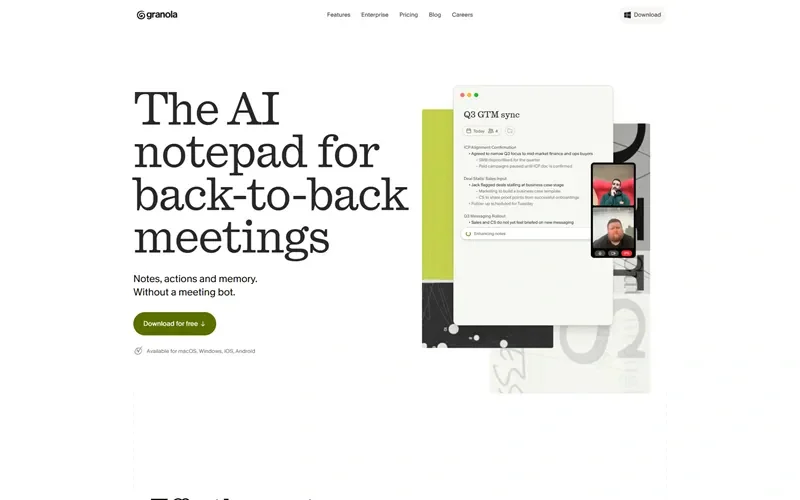
Granola is an AI-powered meeting notes application that helps users capture, organize, and summarize conversations.
Rather than forcing you to manually document every discussion, Granola combines your own notes with AI-generated summaries, making it easier to review meetings, remember important decisions, and follow up on action items.
It’s designed for professionals who spend a significant part of their day in meetings and want a more efficient way to keep track of conversations.
My Experience with Granola AI
The first thing I noticed is how natural the experience feels.
Many AI meeting tools try to automate everything, which can sometimes make the output feel generic. Granola seems to strike a better balance by allowing your own notes to remain part of the process while using AI to organize and expand them.
That approach makes the summaries feel more personal and relevant.
I also like that the app encourages you to stay engaged in the conversation instead of worrying about capturing every single detail. Knowing the important points will be organized afterward makes meetings feel much less stressful.
Why Professionals Choose Granola AI
People typically use Granola because taking notes manually during meetings is distracting and time-consuming.
Common reasons include:
- Creating organized meeting summaries
- Keeping track of decisions and action items
- Reducing manual note-taking
- Improving follow-up after meetings
- Sharing meeting outcomes with teammates
- Maintaining searchable meeting records
For busy professionals, these small improvements can save a surprising amount of time every week.
What Makes Granola AI Stand Out?
What stands out most is its simplicity.
Instead of overwhelming users with dozens of collaboration features, Granola focuses on helping you capture the essence of a meeting without changing the way you naturally work.
The AI acts as an assistant rather than taking complete control, which makes the experience feel more trustworthy and practical.
Another thing I appreciate is that the summaries are designed to be readable. You can quickly review what happened without scrolling through pages of raw transcripts.
Benefits I Noticed
Better Meeting Focus
You can pay more attention to the discussion instead of constantly typing notes.
Clear Summaries
Important decisions and key discussion points are organized into an easy-to-read format.
Time Savings
Reviewing AI-generated summaries is much faster than rewriting handwritten notes.
Improved Follow-Up
Action items are easier to identify and share with colleagues after meetings.
Works With Existing Workflows
The platform complements your own note-taking instead of trying to replace it entirely.
Pros and Cons of Granola AI
Pros
- Clean and intuitive interface
- Helps reduce manual note-taking
- AI-generated summaries are easy to review
- Keeps meeting information organized
- Encourages better participation during conversations
- Suitable for individuals and teams
Cons
- Most valuable for people who attend frequent meetings
- AI summaries should still be reviewed for accuracy
- Some advanced collaboration needs may require additional tools
- Features continue to evolve as the platform grows
Who Should Use Granola AI?
Granola AI is well suited for:
- Remote teams
- Managers
- Sales professionals
- Consultants
- Startup founders
- Project managers
- Anyone who regularly attends online meetings
If meetings are a regular part of your workday, Granola can help reduce the burden of documentation while making follow-ups much easier.
Final Thoughts
After reviewing Granola AI, my impression is that it succeeds by keeping things simple.
Instead of trying to transform the meeting experience, it quietly improves what happens afterward by producing organized, useful notes that help you remember what matters most.
For professionals who want to stay engaged in conversations without worrying about capturing every detail, Granola AI is a thoughtful and practical productivity tool that’s well worth exploring.
Check it out – Try Granola Now